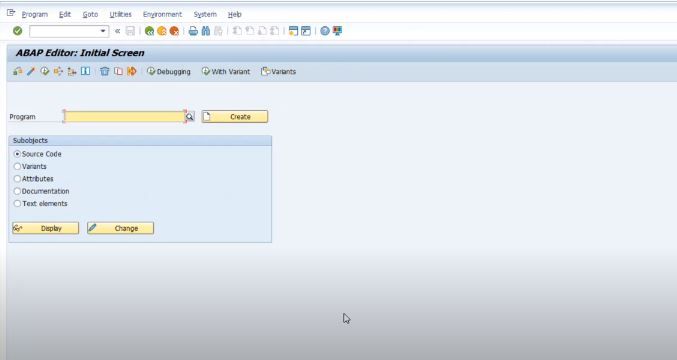
ABAP user guide ,for making the reports.
http://www.scribd. com/doc/6779672/ ABAP-Program- Tips-v3
BC - ABAP Programming
BC - ABAP Programming.................................................................................17
Introduction to ABAP.................................................................................................................. 19
The R/3 Basis System: Overview............................................................................................... 20
Position of the Basis System Within the R/3 System............................................................... 21
Application Servers .................................................................................................................. 27
Work Processes ....................................................................................................................... 32
Overview of the Components of Application Programs ......................................................... 37
Structure of an Application Program ........................................................................................ 38
Screens ................................................................................................................................... 40
Structure of ABAP Programs ................................................................................................... 44
Processing Blocks in ABAP Programs..................................................................................... 49
ABAP Statements .................................................................................................................... 56
Logical Databases and Contexts ............................................................................................. 60
Memory Structures of an ABAP Program ................................................................................ 66
Creating and Changing ABAP Programs.................................................................................. 68
Opening a Program from the Repository Browser................................................................... 70
Opening Programs in the ABAP Editor .................................................................................... 73
Opening Programs Using Forward Navigation ........................................................................ 74
Maintaining Program Attributes................................................................................................ 75
Editing Programs...................................................................................................................... 79
The ABAP Programming Language .......................................................................................... 82
ABAP Syntax............................................................................................................................... 83
Types and Objects ...................................................................................................................... 87
Basic Statements ........................................................................................................................ 90
Data Types and Data Objects.................................................................................................. 91
Data Types.......................................................................................................................... 92
Defining Data Types ...................................................................................................... 96
Predefined ABAP Types........................................................................................... 97
Local Data Types in Programs ............................................................................... 100
Data Types in the ABAP Dictionary........................................................................ 105
The TYPE Addition ...................................................................................................... 112
The LIKE Addition........................................................................................................ 116
Data Objects ..................................................................................................................... 118
Literals ......................................................................................................................... 119
Text Symbols ............................................................................................................... 121
Variables...................................................................................................................... 123
Constants..................................................................................................................... 129
Interface Work Areas................................................................................................... 130
Predefined Data Objects.............................................................................................. 132
Compatibility..................................................................................................................... 133
Determining the Attributes of Data Objects ...................................................................... 135
Examples of Data Types and Objects .............................................................................. 140
Processing Data..................................................................................................................... 143
Assigning Values .............................................................................................................. 144
SAP AG BC - ABAP Programming
April 2001 5
Assigning Values with MOVE...................................................................................... 145
Assigning Values with WRITE TO............................................................................... 148
Resetting Values to Their Initial Value......................................................................... 150
Numerical Operations ....................................................................................................... 151
Arithmetic Calculations ................................................................................................ 152
Mathematical Functions............................................................................................... 156
Business Calculations.................................................................................................. 158
Date and Time Calculations......................................................................................... 159
Processing Character Strings ........................................................................................... 161
Shifting Field Contents................................................................................................. 162
Replacing Field Contents............................................................................................. 165
Converting to Upper or Lower Case or Replacing Characters .................................... 167
Converting into a Sortable Format............................................................................... 168
Overlaying Character Fields ........................................................................................ 169
Finding Character Strings............................................................................................ 170
Finding the Length of a Character String..................................................................... 173
Condensing Field Contents ......................................................................................... 174
Concatenating Character Strings ................................................................................ 175
Splitting Character Strings........................................................................................... 176
Assigning Parts of Character Strings........................................................................... 177
Single Bit Processing in Hexadecimal Fields.................................................................... 178
Setting and Reading Bits ............................................................................................. 179
Bit Operations .............................................................................................................. 181
Set Operations Using Bit Sequences .......................................................................... 183
Type Conversions ............................................................................................................. 186
Conversion Rules for Elementary Data Types ............................................................ 187
Conversion Rules for References................................................................................ 191
Conversion Rules for Structures.................................................................................. 192
Conversion Rules for Internal Tables .......................................................................... 194
Alignment of Data Objects........................................................................................... 195
Processing Sections of Strings ......................................................................................... 196
Field Symbols and Data References ..................................................................................... 200
Field Symbols ................................................................................................................... 201
Defining Field Symbols ................................................................................................ 203
Assigning Data Objects to Field Symbols.................................................................... 207
Basic Form of the ASSIGN Statement ................................................................... 208
Assigning Components of Structures to a Field Symbol ........................................ 213
Defining the Data Type of a Field Symbol.............................................................. 215
Data Areas for Field Symbols................................................................................. 217
Data References ............................................................................................................... 219
Reference Variables .................................................................................................... 220
Creating Data Objects Dynamically............................................................................. 221
Getting References to Data Objects............................................................................ 222
Dereferencing Data References .................................................................................. 223
Data References: Example.......................................................................................... 224
BC - ABAP Programming SAP AG
6 April 2001
Logical Expressions ............................................................................................................... 225
Comparisons Between Different Data Types.................................................................... 226
Comparing Strings ............................................................................................................ 230
Comparing Bit Sequences ................................................................................................ 233
Checking Whether a Field Belongs to a Range................................................................ 235
Checking for the Initial Value ............................................................................................ 236
Checking Selection Criteria............................................................................................... 237
Checking Whether a Field Symbol is Assigned................................................................ 238
Combining Several Logical Expressions .......................................................................... 239
Controlling the Program Flow................................................................................................. 240
Branching Conditionally .................................................................................................... 242
Loops ............................................................................................................................... 245
Processing Large Volumes of Data......................................................................................... 250
Internal tables......................................................................................................................... 251
Creating Internal Tables.................................................................................................... 254
Internal table types ...................................................................................................... 255
Internal table objects.................................................................................................... 259
Special Features of Standard Tables .......................................................................... 261
Processing Internal Tables ............................................................................................... 263
Operations on Entire Internal Tables........................................................................... 264
Assigning Internal Tables ....................................................................................... 265
Initializing Internal Tables....................................................................................... 267
Comparing Internal Tables ..................................................................................... 269
Sorting Internal Tables ........................................................................................... 271
Internal Tables as Interface Parameters ................................................................ 276
Determining the Attributes of Internal Tables......................................................... 277
Operations on Individual Lines .................................................................................... 278
Operations for all Table Types ............................................................................... 281
Inserting Lines into Tables ................................................................................ 282
Appending Summarized Lines .......................................................................... 285
Reading Lines of Tables.................................................................................... 287
Changing Lines ................................................................................................. 292
Deleting Lines.................................................................................................... 295
Processing Table Entries in Loops.................................................................... 299
Operations for Index Tables ................................................................................... 306
Appending Table Lines...................................................................................... 307
Inserting Lines Using the Index......................................................................... 311
Reading Lines Using the Index ......................................................................... 314
Binary Search in Standard Tables .................................................................... 315
Finding Character Strings in Internal Tables..................................................... 316
Changing Table Lines Using the Index ............................................................. 318
Deleting Lines Using the Index ......................................................................... 321
Specifying the Index in Loops ........................................................................... 324
Access Using Field Symbols ....................................................................................... 326
Using Header Lines as Work Areas ............................................................................ 328
SAP AG BC - ABAP Programming
April 2001 7
Extracts ................................................................................................................................. 331
Defining an Extract............................................................................................................ 332
Filling an Extract with Data ............................................................................................... 334
Processing Extracts .......................................................................................................... 336
Reading an Extract ...................................................................................................... 337
Sorting an Extract ........................................................................................................ 340
Processing Control Levels ........................................................................................... 343
Calculating Numbers and Totals ................................................................................. 347
Formatting Data...................................................................................................................... 350
Example of Formatted Data .............................................................................................. 351
Formatting Data During Reading ...................................................................................... 353
Refining Data Using Internal Tables ................................................................................. 355
Formatting Data Using Extracts ........................................................................................ 359
Saving Data Externally.............................................................................................................. 361
Saving Data Objects as Clusters ........................................................................................... 362
Data Clusters in ABAP Memory........................................................................................ 363
Saving Data Objects in Memory .................................................................................. 364
Reading Data Objects from Memory ........................................................................... 365
Deleting Data Clusters from Memory .......................................................................... 367
Data Clusters in the Database.......................................................................................... 368
Cluster Databases ....................................................................................................... 369
Structure of a Cluster Database ............................................................................. 370
Example of a Cluster Database.............................................................................. 372
Saving Data Objects in Cluster Databases ................................................................. 374
Creating a Directory of a Data Cluster......................................................................... 376
Reading Data Objects From Cluster Databases ......................................................... 378
Deleting Data Clusters from Cluster Databases.......................................................... 380
Open SQL Statements and Cluster Databases........................................................... 382
Working with Files .................................................................................................................. 384
Working with Files on the Application Server ................................................................... 385
File Handling in ABAP ................................................................................................. 386
Opening a File ........................................................................................................ 387
Basic Form of the OPEN DATASET Statement................................................ 388
Opening a File for Read Access ....................................................................... 389
Opening a File for Write Access........................................................................ 390
Opening a File for Appending Data................................................................... 393
Using Binary Mode............................................................................................ 395
Using Text Mode ............................................................................................... 397
Opening a File at a Given Position.................................................................... 399
Executing Operating System Commands ......................................................... 401
Receiving Operating System Messages ........................................................... 402
Closing a File.......................................................................................................... 403
Deleting a File......................................................................................................... 404
Writing Data to Files .................................................................................................... 405
Reading Data from Files .............................................................................................. 407
BC - ABAP Programming SAP AG
8 April 2001
Automatic Checks in File Operations .......................................................................... 409
Authorization Checks for Programs and Files ........................................................ 410
General Checks for File Access ............................................................................. 413
Working with Files on the Presentation Server................................................................. 416
Writing Data to Presentation Server (Dialog) .............................................................. 417
Writing Data to Presentation Server (no Dialog) ......................................................... 420
Reading Data from Presentation Server (Dialog)........................................................ 423
Reading Data from Presentation Server (no Dialog)................................................... 426
Checking Files on the Presentation Server ................................................................. 428
Using Platform-Independent Filenames ........................................................................... 431
Maintaining Syntax Groups.......................................................................................... 432
Assigning Operating Systems to Syntax Groups ........................................................ 433
Creating and Defining Logical Paths ........................................................................... 435
Creating and Defining Logical Filenames.................................................................... 437
Using Logical Files in ABAP Programs ....................................................................... 438
Modularization Techniques...................................................................................................... 441
Source Code Modules............................................................................................................ 443
Macros .............................................................................................................................. 444
Include Programs.............................................................................................................. 447
Procedures............................................................................................................................ 449
Subroutines...................................................................................................................... 451
Defining Subroutines ................................................................................................... 452
Global Data from the Main Program....................................................................... 453
Local Data in the Subroutine .................................................................................. 455
The Parameter Interface......................................................................................... 459
Terminating Subroutines ........................................................................................ 464
Calling Subroutines...................................................................................................... 466
Naming Subroutines ............................................................................................... 467
Passing Parameters to Subroutines....................................................................... 470
Examples of Subroutines........................................................................................ 472
Shared Data Areas ................................................................................................. 477
Function Modules.............................................................................................................. 480
Function Groups .......................................................................................................... 481
Calling Function Modules ............................................................................................ 483
Creating Function Modules.......................................................................................... 488
Organization of External Procedure Calls......................................................................... 494
Special Techniques................................................................................................................... 496
Catchable Runtime Errors...................................................................................................... 497
Program Checks ............................................................................................................... 498
Catching Runtime Errors................................................................................................... 500
Checking Authorizations ........................................................................................................ 502
Checking User Authorizations........................................................................................... 504
Defining an Authorization Check ...................................................................................... 505
Checking the Runtime of Program Segments........................................................................ 508
GET RUN TIME FIELD..................................................................................................... 509
Runtime Measurement of Database Accesses................................................................. 511
SAP AG BC - ABAP Programming
April 2001 9
Generating and Running Programs Dynamically................................................................... 513
Creating a New Program Dynamically.............................................................................. 514
Changing Existing Programs Dynamically........................................................................ 516
Running Programs Created Dynamically.......................................................................... 517
Creating and Starting Temporary Subroutines ................................................................. 520
ABAP User Dialogs ................................................................................................................... 523
Screens...................................................................................................................................... 524
Screen Elements.................................................................................................................... 526
Screen Attributes .............................................................................................................. 527
Screen Elements............................................................................................................... 528
Screen Fields .................................................................................................................... 530
Screen Flow Logic ............................................................................................................ 532
Processing Screens ............................................................................................................... 534
User Actions on Screens .................................................................................................. 535
Processing Input/Output Fields ................................................................................... 537
Pushbuttons on the Screen ......................................................................................... 542
Checkboxes and Radio Buttons with Function Codes ................................................ 545
Using GUI Statuses ..................................................................................................... 548
Reading Function Codes ............................................................................................. 555
Finding Out the Cursor Position .................................................................................. 557
Calling ABAP Dialog Modules........................................................................................... 560
Simple Module Calls .................................................................................................... 562
Controlling the Data Transfer ...................................................................................... 565
Calling Modules Unconditionally.................................................................................. 568
Conditional Module Calls ............................................................................................. 572
Input Checks ..................................................................................................................... 577
Automatic Input Checks............................................................................................... 578
Checking Fields in the Screen Flow Logic................................................................... 581
Input Checks in Dialog Modules .................................................................................. 584
Field Help, Input Help, and Dropdown Boxes................................................................... 589
Field Help..................................................................................................................... 590
Input Help..................................................................................................................... 595
Input Help from the ABAP Dictionary ..................................................................... 596
Input Help on the Screen........................................................................................ 601
Input Help in Dialog Modules ................................................................................. 603
Dropdown Boxes ......................................................................................................... 607
Modifying Screens Dynamically........................................................................................ 611
Setting Attributes Dynamically..................................................................................... 612
The Field Selection Function ....................................................................................... 620
Setting the Cursor Position.......................................................................................... 631
Switching on Hold Data Dynamically........................................................................... 633
Complex Screen Elements..................................................................................................... 635
Status Icons ...................................................................................................................... 636
Context Menus.................................................................................................................. 639
Subscreens ....................................................................................................................... 647
BC - ABAP Programming SAP AG
10 April 2001
Tabstrip Controls............................................................................................................... 653
Custom Controls ............................................................................................................... 661
Table Controls................................................................................................................... 669
Using the LOOP Statement ......................................................................................... 670
Looping Through an Internal Table ............................................................................. 671
Example Transaction: Table Controls ......................................................................... 672
Looping Directly Through a Screen Table ................................................................... 676
How the System Transfers Data Values...................................................................... 678
Using Step Loops ........................................................................................................ 679
Selection Screens ..................................................................................................................... 681
Selection Screens and Logical Databases ............................................................................ 683
Defining Selection Screens.................................................................................................... 686
Defining Input Fields for Single Values............................................................................. 689
Basic Form of Parameters........................................................................................... 690
Dynamic Dictionary Reference .................................................................................... 691
Default Values for Parameters .................................................................................... 692
SPA/GPA Parameters as Default Values.................................................................... 693
Allowing Parameters to Accept Upper and Lower Case ............................................. 694
Reducing the Visible Length........................................................................................ 695
Defining Required Fields ............................................................................................. 696
Search Helps for Parameters ...................................................................................... 697
Checking Input Values................................................................................................. 698
Defining Checkboxes................................................................................................... 699
Defining Radio Buttons................................................................................................ 700
Hiding Input Fields ....................................................................................................... 701
Modifying Input Fields.................................................................................................. 702
Defining Complex Selections............................................................................................ 703
Selection Tables .......................................................................................................... 704
Basic Form of Selection Criteria .................................................................................. 707
Selection Criteria and Logical Databases.................................................................... 711
Default Values for Selection Criteria............................................................................ 713
Restricting Entry to One Row ...................................................................................... 715
Restricting Entry to Single Fields................................................................................. 716
Additional Options for Selection Criteria...................................................................... 717
Formatting Selection Screens........................................................................................... 718
Blank Lines, Underlines, and Comments .................................................................... 719
Several Elements in a Single Line............................................................................... 721
Blocks of Elements ...................................................................................................... 723
Calling Selection Screens ...................................................................................................... 724
Calling Standard Selection Screens ................................................................................. 725
Calling User-Defined Selection Screens........................................................................... 726
User Actions on Selection Screens........................................................................................ 732
Pushbuttons on the Selection Screen............................................................................... 733
Checkboxes and Radio Buttons with Function Codes...................................................... 735
Pushbuttons in the Application Toolbar ............................................................................ 736
SAP AG BC - ABAP Programming
April 2001 11
Changing the Standard GUI Status .................................................................................. 738
Selection Screen Processing ................................................................................................. 739
Basic Form........................................................................................................................ 742
PBO of the Selection Screen ............................................................................................ 743
Processing Single Fields................................................................................................... 744
Processing Blocks............................................................................................................. 745
Processing Radio Buttons................................................................................................. 746
Processing Multiple Selections ......................................................................................... 747
Defining Field Help............................................................................................................ 748
Defining Input Help ........................................................................................................... 750
Subscreens and Tabstrip Controls on Selection Screens ..................................................... 753
Selection Screens as Subscreens .................................................................................... 754
Tabstrip Controls on Selection Screens ........................................................................... 758
Subscreens on Selection Screens.................................................................................... 762
Using Selection Criteria.......................................................................................................... 764
Selection Tables in the WHERE Clause........................................................................... 765
Selection Tables in Logical Expressions .......................................................................... 766
Selection Tables in GET Events ....................................................................................... 769
Lists ........................................................................................................................................... 771
Creating Lists ......................................................................................................................... 773
Creating Simple Lists with the WRITE Statement ............................................................ 774
The WRITE Statement................................................................................................. 775
Positioning WRITE Output on the List ......................................................................... 778
Formatting Options ...................................................................................................... 780
Displaying Symbols and Icons on the List ................................................................... 782
Blank Lines and Drawing Lines ................................................................................... 783
Displaying Field Contents as Checkboxes .................................................................. 784
Using WRITE via a Statement Structure ..................................................................... 785
Creating Complex Lists..................................................................................................... 788
The Standard List ........................................................................................................ 789
Structure of the Standard List................................................................................. 790
GUI Status for the Standard List ............................................................................ 792
The Self-Defined List ................................................................................................... 795
Individual Page Header .......................................................................................... 796
Determining the List Width ..................................................................................... 798
Creating Blank Lines .............................................................................................. 799
Determining the Page Length................................................................................. 801
Defining a Page Footer........................................................................................... 803
Lists with Several Pages.............................................................................................. 805
Programming Page Breaks .................................................................................... 806
Standard Page Headers of Individual Pages ......................................................... 809
Page length of individual pages ............................................................................. 811
Page Width of List Levels ....................................................................................... 814
Scrolling in Lists........................................................................................................... 815
Scrolling Window by Window ................................................................................. 816
BC - ABAP Programming SAP AG
12 April 2001
Scrolling by Pages.................................................................................................. 817
Scrolling to the Margins of the List ......................................................................... 819
Scrolling by Columns.............................................................................................. 820
Defining Where the User Can Scroll on a Page..................................................... 822
Laying Out List Pages.................................................................................................. 825
Positioning the Output ............................................................................................ 826
Absolute Positioning.......................................................................................... 827
Relative Positioning........................................................................................... 829
Formatting Output................................................................................................... 832
The FORMAT Statement................................................................................... 833
Colors in Lists............................................................................................... 834
Enabling Fields for Input .............................................................................. 839
Outputting Fields as Hotspots...................................................................... 840
Special Output Formats .................................................................................... 842
Lines in Lists...................................................................................................... 846
Interactive Lists ...................................................................................................................... 854
Detail Lists......................................................................................................................... 855
Dialog Status for Lists ....................................................................................................... 860
Context Menus for Lists .................................................................................................... 866
List Events in an ABAP Program ...................................................................................... 868
Lists in Dialog Boxes......................................................................................................... 872
Passing Data from Lists to Programs ............................................................................... 874
Passing Data Automatically......................................................................................... 875
Passing Data by Program Statements ........................................................................ 877
Manipulating Detail Lists ................................................................................................... 886
Scrolling in Detail Lists................................................................................................. 887
Setting the Cursor from within the Program ................................................................ 889
Modifying List Lines ..................................................................................................... 892
Lists and Screens................................................................................................................... 895
Starting Lists from Screen Processing.............................................................................. 896
Calling Screens from List Processing ............................................................................... 900
Printing Lists.......................................................................................................................... 904
Printing a List after Creating it........................................................................................... 905
Printing a List while Creating it.......................................................................................... 907
Print Parameters.......................................................................................................... 908
Execute and Print ........................................................................................................ 909
Printing from within the Program ................................................................................. 912
Printing Lists from a Called Program........................................................................... 916
Print Control ...................................................................................................................... 919
Determining Left and Upper Margins........................................................................... 920
Determining the Print Format ...................................................................................... 922
Documentation Not Available in Release 4.6C................................................................. 926
Messages .................................................................................................................................. 927
Message Management........................................................................................................... 928
Messages.............................................................................................................................. 929
Message Processing.............................................................................................................. 931
SAP AG BC - ABAP Programming
April 2001 13
Messages Without Screens .............................................................................................. 932
Messages on Screens ...................................................................................................... 933
Messages on Selection Screens ...................................................................................... 934
Messages in Lists ............................................................................................................. 935
Messages in Function Modules and Methods .................................................................. 936
Running ABAP Programs......................................................................................................... 937
Defining Processing Blocks..................................................................................................... 940
Event blocks.......................................................................................................................... 941
Dialog modules ...................................................................................................................... 944
Running Programs Directly - Reports..................................................................................... 945
Linking to a Logical Database................................................................................................ 947
Report Transactions............................................................................................................... 951
Event Blocks in Executable Programs ................................................................................... 952
Description of Events ........................................................................................................ 953
INITIALIZATION .......................................................................................................... 954
AT SELECTION-SCREEN........................................................................................... 956
START-OF-SELECTION............................................................................................. 957
GET............................................................................................................................. 958
GET … LATE............................................................................................................... 961
END-OF-SELECTION ................................................................................................. 963
Leaving Event Blocks........................................................................................................ 966
Leaving Event Blocks Using STOP ............................................................................. 967
Leaving Event Blocks Using EXIT ............................................................................... 970
Leaving Event Blocks Using CHECK .......................................................................... 974
Leaving a GET Event Block Using REJECT ............................................................... 979
Dialog-Driven Programs: Transactions .................................................................................. 982
Dialog Programs: Overview ................................................................................................... 983
Sample Transaction .......................................................................................................... 987
Maintaining Transactions ....................................................................................................... 995
Dialog Transactions .......................................................................................................... 996
Report Transactions.......................................................................................................... 997
Variant Transactions ......................................................................................................... 998
Parameter Transaction ..................................................................................................... 999
Screen Sequences............................................................................................................... 1000
Static Next Screen .......................................................................................................... 1002
Dynamic Next Screen ..................................................................................................... 1004
Leaving a Screen from a Program.................................................................................. 1006
Starting a Screen Sequence........................................................................................... 1007
Calling Modal Dialog Boxes ............................................................................................ 1010
Screen Sequences: Example Transaction...................................................................... 1011
Calling Programs..................................................................................................................... 1016
Calling Executable Programs............................................................................................... 1018
Filling the Selection Screen of a Called Program........................................................... 1019
Affecting Lists in Called Programs.................................................................................. 1023
Program Statements to Leave a Called Program........................................................... 1025
Calling Transactions............................................................................................................. 1027
BC - ABAP Programming SAP AG
14 April 2001
Calling Screen Sequences as Modules ............................................................................... 1028
Passing Data Between Programs ........................................................................................ 1032
Filling an Initial Screen using SPA/GPA Parameters ..................................................... 1033
ABAP Database Access.......................................................................................................... 1037
Accessing the Database in the R/3 System.......................................................................... 1038
Open SQL................................................................................................................................ 1041
Reading Data ....................................................................................................................... 1043
Defining Selections ......................................................................................................... 1045
Specifying a Target Area ................................................................................................ 1052
Specifying Database Tables ........................................................................................... 1058
Selecting Lines................................................................................................................ 1064
Grouping Lines................................................................................................................ 1072
Selecting Groups of Lines............................................................................................... 1075
Specifying a Sort Order................................................................................................... 1077
Subqueries ...................................................................................................................... 1080
Using a Cursor to Read Data.......................................................................................... 1084
Locking Conflicts............................................................................................................. 1089
Changing Data ..................................................................................................................... 1090
Inserting Lines into Tables .............................................................................................. 1091
Changing Lines ............................................................................................................... 1094
Deleting Lines ................................................................................................................. 1097
Inserting or Changing Lines............................................................................................ 1100
Committing Database Changes...................................................................................... 1102
Performance Notes .............................................................................................................. 1103
Keep the Result Set Small .............................................................................................. 1106
Minimize the Amount of Data Transferred...................................................................... 1107
Minimize the Number of Data Transfers ......................................................................... 1108
Minimize the Search Overhead....................................................................................... 1110
Reduce the Database Load ............................................................................................ 1112
Native SQL ............................................................................................................................... 1114
Native SQL for Oracle .......................................................................................................... 1119
Native SQL for Informix........................................................................................................ 1137
Native SQL for DB2 Common Server .................................................................................. 1152
Logical Databases................................................................................................................... 1163
Structure of Logical Databases............................................................................................ 1166
Selection Views.................................................................................................................... 1173
Example of a Logical Database ........................................................................................... 1175
Using Logical Databases ..................................................................................................... 1179
Linking a Logical DB to an Executable Program ............................................................ 1181
Calling a Logical Database Using a Function Module .................................................... 1185
Editing Logical Databases.................................................................................................... 1191
Creating a Logical Database........................................................................................... 1192
Processing the Structure................................................................................................. 1194
Editing a Search Help ..................................................................................................... 1196
Editing Selections ........................................................................................................... 1197
Editing the Database Program........................................................................................ 1201
Dynamic Selections in the Database Program.......................................................... 1208
SAP AG BC - ABAP Programming
April 2001 15
Field Selections in the Database Program ................................................................ 1212
Search Helps in the Database Program.................................................................... 1215
Independent Calls and the Database Program ......................................................... 1219
Editing Other Components.............................................................................................. 1220
Improving Performance................................................................................................... 1221
Using Contexts ........................................................................................................................ 1223
What are Contexts? ............................................................................................................. 1224
The Context Builder in the ABAP Workbench...................................................................... 1225
Creating and Editing a Context....................................................................................... 1226
Using Tables as Modules .......................................................................................... 1228
Using Function Modules as Modules......................................................................... 1231
Using Contexts as Modules....................................................................................... 1234
Testing a Context............................................................................................................ 1236
Buffering Contexts .......................................................................................................... 1238
Fields.............................................................................................................................. 1241
Modules.......................................................................................................................... 1243
Interfaces ........................................................................................................................ 1245
Using Contexts in ABAP Programs...................................................................................... 1246
Finding and Displaying a Context ................................................................................... 1247
Creating an Instance of a Context .................................................................................. 1249
Supplying Context Instances with Key Values................................................................ 1250
Querying Data from Context Instances........................................................................... 1251
Message Handling in Contexts ....................................................................................... 1253
Message Handling in Table Modules ........................................................................ 1254
Message Handling in Function Module Modules....................................................... 1256
Working With Contexts - Hints ............................................................................................. 1259
Programming Database Updates........................................................................................... 1260
Transactions and Logical Units of Work .............................................................................. 1261
Database Logical Unit of Work (LUW)............................................................................ 1262
SAP LUW........................................................................................................................ 1265
SAP Transactions ........................................................................................................... 1269
The R/3 Lock Concept ......................................................................................................... 1270
Example Transaction: SAP Locking ............................................................................... 1274
Update Techniques .............................................................................................................. 1276
Asynchronous Update..................................................................................................... 1277
Updating Asynchronously in Steps ................................................................................. 1279
Synchronous Update ...................................................................................................... 1280
Local Update................................................................................................................... 1281
Creating Update Function Modules ..................................................................................... 1282
Calling Update Functions ..................................................................................................... 1283
Calling Update Functions Directly................................................................................... 1284
Adding Update Task Calls to a Subroutine..................................................................... 1285
Special LUW Considerations ............................................................................................... 1286
Transactions That Call Update Function Modules.......................................................... 1287
Dialog Modules that Call Update Function Modules....................................................... 1288
Error Handling for Bundled Updates .................................................................................... 1289
ABAP Objects .......................................................................................................................... 1291
BC - ABAP Programming SAP AG
16 April 2001
What is Object Orientation? ................................................................................................... 1292
What are ABAP Objects?........................................................................................................ 1295
From Function Groups to Objects......................................................................................... 1296
Example ............................................................................................................................... 1299
Classes.................................................................................................................................... 1300
Overview Graphic................................................................................................................. 1305
Classes - Introductory Example ........................................................................................... 1306
Object Handling....................................................................................................................... 1307
Overview Graphic................................................................................................................. 1310
Objects - Introductory Example............................................................................................ 1311
Declaring and Calling Methods.............................................................................................. 1312
Methods in ABAP Objects - Example .................................................................................. 1315
Inheritance ............................................................................................................................... 1327
Inheritance: Overview Graphic............................................................................................. 1332
Inheritance: Introductory Example ....................................................................................... 1335
Interfaces................................................................................................................................. 1337
Overview Graphics............................................................................................................... 1340
Interfaces - Introductory Example ........................................................................................ 1341
Triggering and Handling Events............................................................................................ 1343
Overview Graphic................................................................................................................. 1346
Events: Introductory Example .............................................................................................. 1349
Events in ABAP Objects - Example ..................................................................................... 1351
Class Pools .............................................................................................................................. 1357
Appendix ................................................................................................................................. 1360
Programs, Screens, and Processing Blocks........................................................................ 1361
Introductory Statements for Programs ................................................................................. 1365
Overview of ABAP Calls ......................................................................................................... 1367
Call Contexts ........................................................................................................................ 1368
Internal Calls ................................................................................................................... 1369
External Procedure Calls ................................................................................................ 1371
External Program Calls ................................................................................................... 1373
Callable Units ....................................................................................................................... 1375
ABAP Programs.............................................................................................................. 1376
Procedures..................................................................................................................... 1378
Screens and Screen Sequences .................................................................................... 1380
ABAP Statement Overview..................................................................................................... 1383
ABAP System Fields............................................................................................................... 1444
ABAP Glossary....................................................................................................................... 1468
Syntax Conventions................................................................................................................ 1486
Download attached file: You must be Loged in to download file