
SAP MM (Materials Management)
Organizations that manufacture products have to handle a lot of aspects. Their materials management phases include materials planning, control, inventory management, and invoice management. Handling all these tasks may require a lot of manpower and software solutions.
That’s why companies choose SAP MM. This software module helps them in tackling daily inventory and procurement tasks. In this article, we will learn the features, components, and advantages of using SAP MM.
What is SAP MM?
Full form or SAP MM stands for (Materials Management)
SAP MM is an important module of the SAP ERP CC. It offers warehouse and inventory management facilities. These activities are important to any company. This is because materials management is a key function needed to sustain their supply chain. The main aim of this software is to ensure that the supply chain has no gaps. Plus, the software assists employees to make sure that the materials are available in appropriate quantities.
The SAP MM works along with other modules of the SAP R/3 system. These are –
- SAP FICO (Financial Accounting and Controlling)
- SAP SD (Sales and Distribution)
- SAP Quality Management
- SAP Production Planning
- SAP Plant Maintenance
- SAP Warehouse Management
The most important organizational units of SAP MM are –
- Plant – This is a location where inventory items can be stored. Companies can store their financial transactions and maintain them
- Storage Locations – This is the physical location where the stock is kept
- Purchase organization– This unit contains the data related to purchase orders and pricing. This makes the acquisition of goods cost-effective.
.jpg)
Features of SAP MM
Some important features of SAP MM are –
- SAP MM enables companies to speed up the materials management and procurement activities
- It can handle materials and resources expenses to cut company costs
- It is a versatile software that can adapt to changing organizational requirements
- SAP MM handles Master Data, Invoice Verification, Material Valuation, Account Determination, and Material Requirement Planning
- The different components of the SAP MM module aim to enhance the supply chain processes. This, in turn, increases the productivity of the business
- It is responsible for specifying the amount of material to transport at each supply chain stage. This also helps employees to figure out the inventory levels for each product category
- SAP MM aims to simplify the supply chain process, thus, ensuring that products are delivered on time
SAP MM module components
The important components of SAP MM modules are –
1) Master Data
This data is used for any transaction. Whether you are transferring stock or creating a physical inventory, it requires some master data. The end-user can track every transaction with it. Types of master data are –
- Warehouse management data
- Vendor data
- Customer data
- Pricing data
- Material data
2) Material Requirement Planning
This is processed as per the bills of the materials. The requirement of these materials will be determined according to these bills.
3) Purchasing
The main objective of this task is to obtain materials and services. Purchasing tasks include buying materials, determining supply sources, and monitoring vendor payments. These tasks help employees to fulfil the requirements of the material planning department.
4) Inventory Management
This component of SAP MM deals with managing the inventory of goods. It contains many key processes such as movement type definition, goods receipt, movement of goods, and issuing goods.
5) Material Valuation
This determines the stock value of a particular material. The material price and stock quantity determine the stock value. Valuation activities such as LIFO & FIFO and material price range are also associated with Material Valuation.
6) Invoice Verification
When an invoice is posted in the SAP system, it updates that invoice data in the MM module. After analyzing the invoice details, it is sent for further processing. Activities such as Automatic Invoice and Invoice Receipt from Vendor fall under this component.
7) Physical Inventory
The different activities under physical inventory are
- Inventory creation
- Post difference
- Cycle count
- Inventory session
- Count area
8) Service Management
Activities such as service entry sheet and service master fall under this component.
Procurement Process
The procurement process is a key process under the SAP MM module. The process starts when there is a need for material. If the materials are not available within the company, the employees have to look for a vendor. The different steps in this process following:
- Purchase Requisition
- Purchase Order
- Good Receipt
- Invoice Verification
- Vendor Payment

The two main types of procurement are –
- Basic procurement -This is the process of acquiring goods at a specified quantity, time, and price. The aim is to maintain the balance between time, quantity, and price.
- Special Procurement This process involves the procurement of special stocks. These stocks do not belong to the company. These are stored in a particular location.
Advantages of SAP MM
The benefits of using the SAP MM module are
- Automates the procurement and material management activities to make the entire process smoother
- Reduces operational costs
- It reduces material costs by avoiding the storage of unwanted and obsolete goods
- Minimizes inventory losses
- Labour costs are reduced. This also helps in using labour efficiently
- It increases product delivery time, which enhances customer satisfaction
- Improves inventory management
- The manufacturing cycle times are minimized
Scope and Opportunities of a Career in SAP MM
A bright future lies ahead for candidates with a certification in SAP MM. This certification will be good for candidates with degrees such as B.A, B.Sc, B.Tech, MBA, and M.Tech. They must have basic computer knowledge.
There is a lot of scope in the Materials and Manufacturing sector with SAP MM knowledge. Candidates may be appointed in the following roles –
- SAP MM Consultant
- SAP Functional Analyst in MM
- SAP MM Plant Maintenance analyst
- SAP MM functional Configurator
- Material Manager
- Purchase executive
Prior knowledge of processes such as production management, planning/ material management, Inventory Management, and plant management is important.
Job Opportunities and Salary
SAP MM Consultants and SAP MM Associates are offered high salary packages. For career growth, you can upgrade to SAP EWM (Extended Warehouse Management) or SAP WM (Warehouse Management).
The salary of an SAP MM Consultant ranges from INR 307 K to 1076 K. The salary increases when you develop skills and gain industrial experience. Additionally, You must know one life cycle implementation in SAP.
The major companies hiring SAP MM Consultants are –
- IBM
- Infosys
- Wipro
- Accenture
- Tech Mahindra
- Hewlett-Packard
- Deloitte
Conclusion
Over the years, SAP MM has become extremely popular among organizations. More companies are adopting SAP MM to enhance their supply chain activities. It has helped them handle business transactions and control the manufacturing processes. All this will positively impact their product development process.
Other Important Resources for SAP MM (Material Management)
Tutorials
 SAP MM (Material Management) Transaction Code List
T-code for SAP MM( Material Management) module Here are some important SAP MM transaction codes (t-codes) that are helpful for SAP MM users to work effectively and efficiently. Trans ... PO (Purchase Order) Transaction Code
MASS MAINTENANCE T-codes MEMASSPO Mass maintenance of POs MEMASSRQ Mass maintenance of PRs MEMASSSA Mass Maintenance of Scheduling Agreements MEMASSIN Mass Maintenance of info records ... SAP MM (Materials Management) Certification Cost and Course Duration in India
There are various institutes located across the country that offer certification courses for SAP MM (Materials Management), with varying training fees, durations and methodologies. Reputed institutes ... Movement Types in SAP MM Inventory Management
What is a Movement Type? Movement type in SAP is a 3-digit code that is used to identify the type of material movement in the system. The movement type is used to determine the type of transaction ...- Release Strategy Configuration, Purchase Order Procedure in SAP
What is Release Strategy? SAP has introduced the concept of Release Strategy to control the process of purchasing. When a Purchase order is made it is not directly sent to the vendor first it requi ...  Unit of Measure (UOM) in SAP MM
What is Unit of Measure (UOM) and how to create it? In SAP to measure the quantity of the material unit of measure is used. In other words unit of measure is used to express the quantity. for ...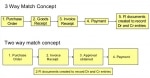 Difference between Two Way and Three Way Match Invoice
Two Way Match vs Three Way Match Invoice Two-way match is used to compare the invoice received from vendor with the Purchase Order. Three-way match is used to match the details of PO, Goods Rece ...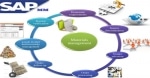 SAP MM Process Flow
The typical procurement cycle for a service or material consists of the following phases:1. Determination of RequirementsMaterials requirements are identified either in the user departments or via mat ... List of Standard Reports in MM
Here are some useful query transactions, note that some rely on LIS records, so it must be activated:MB51 Material Doc. List MB5L List of Stock Values: Balances MBBS Display valuated special stock MC$ ... Difference between Company and Company Code in SAP System
Company vs Company Code in SAPCompany: It is the unit to which your financial statements are created and can have one to many company codes assigned to it. A company is equivalent to your legal b ...- How to Change Standard Price in Material Master
The standard price can not be updated directly. One way to update the standard price is to fill the fields Future Price (MBEW-ZKPRS) and the Effective Date (MBEW-ZKDAT) for the material on the acc ... - Job Profile & Salary Package for MM Consultant
This certification course can provide good paid jobs with different profiles like SAP MM consultants, SAP functional Analyst in MM like SAP MM Plant Maintenance analyst, SAP functional Configurator ...  Difference between Blanket Purchase Order and Framework Order
Blanket Purchase Order vs Framework OrderIn general the Blanket POs are used for consumable materials such as Xerorx papers with a short text (does not need to have Master Record) with Item Category & ...- Delete Materials Permanently from Material Master
Steps to delete materials permanently from Material masterUse transaction MM70 - Material Master->Other->Reorganization->Material->Choose.Build variant with selection range of material mas ... - Transaction MR1M- Direct posting to G/L Account
We can provide the following solutions as workarounds.For directly posting to a G/L account, you can use the blanket purchase order. Postings to various account assignment categories can also take pla ... 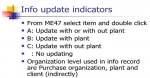 Info Update Indicator in PO with Info Records
Info Update IndicatorInfo Update field is used to specify that the info record is to be created or updated while creating or changing quotations, scheduling agreements, contracts, and purchase orders. ... Convert base Unit of Measure to Alternative Unit of Measure
Base Unit of Measure:A unit of measurement that can be determined by taking one measurement without having to combine any other measurement. Length, mass, and temperature are examples of base units.Al ...- Steps of FI-MM Integration
FI-MM Integration Process Flow in MM Step 1 Generating purchase requisition( PP-MM involved) Step 2 Making inquiries (MM) Step 3 Raising purchase order (MM) Step 4 Release of purchase order ( MM ... - MMBE Tcode in Stock Overview
T.Code MMBET.Code MMBE is used to check the availablity of stocks at plant level and it also check stock availability of a particular batch at plant. In other words If you want to check for stock of a ... 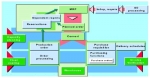 What is MRP in SAP MM
MRP, or Material Requirements Planning, is a crucial function in the SAP MM (Materials Management) module that helps organizations plan and manage their inventory efficiently. At its core, MRP is a ...