
Java
Definition of Java
Java is an object-oriented and general purpose programming language which was developed by Sun Microsystems. Java applications are carried through any Java Virtual machine (JVM) as they are most commonly compiled to bytecode (compiled format of a Java program) to allow execution through any platform program or operating system. JAVA programs can be run in any computer-based system, ranging from desktop applications, financial service systems to Big Data Technologies. The Java language was designed to have a similar "look and feel" of C++computer language, however, it is comparatively simpler to use and work on.
HISTORY OF JAVA
Project “Oak” was the codename initially given to Java by the developers who were called the “Green team”. The team was led by James Gosling alongside Patrick Naughton and Mike Sheridan. It was released by Sun Microsystems in 1995, and soon the Java project became more famous than the Sun Microsystems itself. The first Java versions (1.0 and 1.1) were released in the year of 1996 for Windows, Linux, Mac and Solaris.
In this day, there are 4.5 million professional JAVA developers worldwide. Accordingly, there a copious number of development tools available in the market to make the application development process using Java easier and simultaneously improve the efficacy of the Java developers in order to design applications with improved functionality.
TOOLS YOU WILL NEED :
1) JDK or Java Development Kit is the first step to Java programming to develop applications and applets. This tool is a prerequisite for Java beginners.
2) Apache Log4j is necessary for the developers as it detects application failures.
3) Eclipse is arguably the best IDE according to the JAVA developers. It possesses several modern and new-age features, along with having java testing tools, modeling tools, and a development framework feature.
4) Postman simplifies writing REST API requests due to its user-friendly user interface. Complex commands can be built easily by completing a form.
5) Net beans is famous for its use of modules which help develop applications.
“Java buzzwords” are features that Java possesses, which are as follows:
1) simple: Since the objective of creating the Java language was to reduce the difficulty, the developers have kept in mind to make it user-friendly and easy to understand.
2) Object-oriented: Java uses pure OOP languages, which is safe and secure. By the use of “objects” behaviour and data are organized into the software.
3) Portable: The java byte code can be carried to any software platform.
4) Robust: JAVA programming is said to be strong or “robust” as it uses hardy memory management, this effectively reduces security problems.
5) Distributed: JAVA language is called a “distributed language” as compilations in one machine, can easily be transferred to another platform.
JAVA VERSION WITH RELEASE AND WHAT’S NEW IN THEM?
Since its inception in 1995, the JAVA language has undergone several advancements and changes.
1) JDK 1.0: First model released in 1995.
2) JDK 1.1: Released in 1997, and major additions were made such as JavaBeans, JIT compiler, JDBC, RMI etc.
3)JAVA 1.2 – Released in 1998, major additions were strictfp keyword, JAVA plug-in, Swing Graphical API, etc.
4) J2SE1.3 – Released in 2000, where Hotspot JVM, Java Platform Debugger Architecture (JPDA), Javasound etc were added.
5) J2SE1.4- Released in 2002, this version saw a lot of additions such as assert keyword, Java web start, exception chaining, etc.
6) JSE 5.0: Codenamed Tiger, it was released in 2004, and new language features were added such as Generics, Metadata, along with standard library improvements and 22 updates.
7) JAVA SE 6: Released in 2006, major version changes include JAXB update, scripted language support along with 141 other updates.
8) JAVA SE 7: Released in 2011, additions include XRENDER PIPELINE, Timsort, MLFN update and 121 other version updates available to the public.
9) JAVA SE 8: Released in 2014, which included 121 updates and several security fixes.
10) JAVASE 9: Released in 2016, with additions such as jshell, Ahead-of-time compilation, and XML catalogue.
The newest version of JAVA update is called JAVA SE10. This update has attracted a lot of speculation from the mass, mainly because of the possible introduction of value types such as “objects without identity”.
Java programming has indeed revolutionized the world of internet language programming and made tasks easier for future and current enthusiasts.
Java Hello World Program
public class Main
{
public static void main(String[] args) {
System.out.println("Hello World");
}
}
Output
Hello World
Tutorials
.jpg) SAP Java Connector (SAP JCo)
SAP Java Connector (SAP JCo)
What is SAP Java Connector (SAP JCo)The SAP Java Connector (SAP JCo) is a toolkit that allows a Java application to communicate with any SAP System. It combines an easy to use API with unprecedented f ...- What range of ports does JCo use when accessing SAP?
JCO accesses SAP over the standard set of SAP ports used to communicate with SAPGUI. In this case, JCO uses ports 3200, 3300, and 3600 depending on how the SAP application server is configured (single ... - Benefit and use of the Support Package Stack XML
You have selected an SAP Support Package Stack on SAP Service Marketplace at service.sap.com/sp-stacks. On the last screen, where you have to add the list with the corresponding files to your download ...  JSPM Support with NW04s (Java Support Package Manager)
Java Support Package Manager (JSPM) in SPS04 and SPS05 does not support a patch process on iSeries.This tutorial explains about all distinctive characteristic of patch process for Java Support Package ....jpg) Download Java JDK & Set JAVA_HOME Environment Variable in Windows 10
Download Java JDK & Set JAVA_HOME Environment Variable in Windows 10
How to Install & Configure JDK? What is JDK? The JDK (Java Development Kit) is a software development kit which consists of libraries and tools for developing apps and running them. This com ... Best Java Online Compiler
Online compilers or IDE are tools which allow us to compile and execute our source code of various programming language such as java, python, c++ etc.This tutorial explains the features of top online ...- Downloading SAP JVM Switch Tool and SAPJVM 4
Downloading SAP JVM Switch Tool and SAP JVM 4 You want to replace the vendor JDK 1.4.2 of your SAP system with the SAP JVM 4. Before you start get a copy of the latest documentation available at ...  Variable Types and Data types in Java
JAVA Variable type & Datatype Summary of this Tutorial This tutorial explains what is Variable type and Data type with their examples. It also explains different types o ...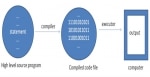 How Java Works?
In this tutorial, we will learn about how a java program works, what is compiler and interpreter and how codes are executed in java programming language. How Does Java Programming Language Wo ...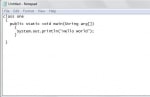 Run Java Program from Command Prompt
In this tutorial, we are going to learn how to write a JAVA program from a command prompt by typing the commands. We must have JDK installed in our computer system before running the JAVA program i ...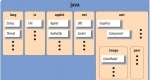 Packages in Java
What is package Package in is a structure which organizes various class files in Java into different folders according to their functionality or categories by user, for example, all the java.io cla ... Polymorphism in Java
What is Polymorphism? Polymorphism is the ability of an object to have a different form. So polymorphism literally means the word polymorphism means having different forms and whenever you define a ... Eclipse IDE (Integrated Development Environment) Download & Installation
How to create project on Eclipse IDE This tutorial is about downloading and installing an IDE (Integrated Development Environment) Eclipse in our system and how to create a project on eclipse ...- Basic Java Program using Eclipse IDE
In this tutorial, we will learn to write a simple basic JAVA program using IDE Eclipse 1) In the Eclipse IDE create a new project by File -> New -> Project 2) After creating a new p ... - Java Simple Calculator Program
In this tutorial, you will learn how to make a simple calculator program in java to perform basic mathematical operations like addition, subtraction, division, and multiplication according to the user ... - Error: Could not find or load main Class
What is Java could not find or load main class? The Error Could not find a class or load the main class that occurs when a program is running, but the main class cannot be found or loaded. In this ... - Java Program for Palindrome
What is Palindrome Number and String? A palindromic number is a kind of number which remains the same even after its digit is reversed for example 121, 1551 etc are palindrome numbers bec ... - Difference between AWT and Swing
Java programmers are often confused about the difference between AWT and Swing components, the features of AWT and Swing, and the functionalities of both. While Swing is a collection of program com ... - Association, Aggregation and Composition in Java
This article is focused on three of the most important OOP concepts in Java, namely association, composition, and aggregation. Although they are related concepts, there are some differences in the way ...  Difference between Array and ArrayList
In case you have been confused about the difference between Array and ArrayList, then what follows is undoubtedly for you. Both are used for storing elements which can be objects. Arrays have a f ...