Financial Accounting – General Topics
Purpose
The Financial Accounting (FI) application component fulfills all the international requirements that must be met by the financial accounting department of an organization. It provides the following features:
Management and representation of all accounting data
- All business transactions are recorded according to the document principle, which provides an unbroken audit trail from the financial statements to the individual documents.
Open and integrated data flow
- Data flow between Financial Accounting and the other components of the SAP System is ensured by automatic updates. Data is available in real time within Financial Accounting. Postings made in the subledgers always generate a corresponding posting in the general ledger.
- Preparation of operational information to assist strategic decision-making within the organization
Integration
Integration of Financial Accounting with other components
All accounting-relevant transactions made in Logistics (LO) or Human Resources (HR) components are posted real-time to Financial Accounting by means of automatic account
determination. This data can also be passed on to Controlling (CO).
This ensures that logistical goods movements (such as goods receipts and goods issues) are exactly reflected in the value-based updates in accounting.
Integration within Financial Accounting
Every posting that is made in the subledgers generates a corresponding posting to the assigned G/L accounts. This ensures that the subledgers are always reconciled with the general ledger.
Features
The Financial Accounting application component comprises the following sub-components:
- General Ledger (FI-GL)
- Accounts Payable (FI-AP)
- Accounts Receivable (FI-AR)
- Bank Accounting (FI-BL)
- Asset Accounting (FI-AA)
- Funds Management (FI-FM)
- Travel Management (FI-TV)
- Special Purpose Ledger (FI-SL)
Financial Accounting – General Topics..........................................................11
Organizational Units and Basic Settings .................................................................................. 13
Client............................................................................................................................................ 15
Company ..................................................................................................................................... 16
Company Code ............................................................................................................................ 17
Company Codes and Controlling Areas................................................................................... 18
Business Area............................................................................................................................. 19
Chart of Accounts ....................................................................................................................... 21
Fiscal Year................................................................................................................................... 23
Fiscal Year and Calendar Year................................................................................................ 25
Shortened Fiscal Year.............................................................................................................. 30
Special Periods ........................................................................................................................ 31
Determining Posting Periods During Posting........................................................................... 32
Opening and Closing Posting Periods ..................................................................................... 34
Opening and Closing Posting Periods: Example................................................................ 36
Opening New Fiscal Years....................................................................................................... 38
Carrying Forward Balances ................................................................................................ 39
Currencies................................................................................................................................... 42
Exchange Rates....................................................................................................................... 43
Exchange Rate Types......................................................................................................... 45
Reference Currency............................................................................................................ 46
Exchange Rate Spread....................................................................................................... 47
Parallel Currencies................................................................................................................... 48
Taxes (FI-AP/AR) ......................................................................................................................... 50
Taxes on Sales/Purchases, Sales Taxes, and Additional Taxes............................................ 53
Types of Taxation..................................................................................................................... 54
Base Amount and Cash Discount ............................................................................................ 56
Tax Codes............................................................................................................................... 57
Tax Rates........................................................................................................................... 59
Check Indicators ................................................................................................................. 60
Input or Output Tax ............................................................................................................. 61
Tax Codes for Tax-Exempt Sales....................................................................................... 62
Automatic Tax Posting ............................................................................................................. 63
Specifications in G/L Accounts................................................................................................. 64
Tax Accounts ...................................................................................................................... 65
Reconciliation Accounts...................................................................................................... 66
Other G/L Accounts ............................................................................................................ 67
Change to the Specifications in G/L Accounts.................................................................... 68
Tax Adjustment for Payment Transactions......................................................................... 69
Tax on Sales/Purchases for Down Payments.......................................................................... 71
Net or Gross Display for Down Payments .......................................................................... 72
Display on the Balance Sheet............................................................................................. 74
Specifications for the Tax Type................................................................................................ 76
Tax on Sales/Purchases: Input and Output Tax................................................................. 78
Example: Posting Output Tax........................................................................................ 79
Example: Posting Input Tax........................................................................................... 80
Non-Deductible Input Tax ................................................................................................... 81
Example: Posting Non-Deductible Input Tax................................................................. 82
Deferred Tax: Italy ......................................................................................................... 83
Sales Tax ............................................................................................................................ 84
Example: Posting Sales Tax.......................................................................................... 85
Use Tax.............................................................................................................................. 86
Example: Posting Use Tax ............................................................................................ 87
Tax Calculation With or Without Jurisdiction Code? ..................................................... 88
Entering Taxes with Jurisdiction Code .......................................................................... 89
Additional Screen for Tax Amounts ............................................................................... 91
Acquisition Tax.................................................................................................................... 92
Example: Posting Acquisition Tax ................................................................................. 93
Investment Tax ................................................................................................................... 94
Example: Posting Investment Tax ................................................................................. 95
Sales Equalization Tax ....................................................................................................... 96
Example: Posting Sales Equalization Tax..................................................................... 97
Separate Exchange Rate for Translating Taxes into Foreign Currency............................. 98
Tax Return to the Tax Authorities ............................................................................................ 99
Data Medium Exchange Engine............................................................................................. 100
Format Tree Definition ...................................................................................................... 101
Screen Layout.............................................................................................................. 102
Nodes.......................................................................................................................... 103
Header.................................................................................................................... 104
Node Types ............................................................................................................ 105
Creating Nodes....................................................................................................... 106
Conditions............................................................................................................... 107
Data Mapping .............................................................................................................. 108
Source Field Inventory............................................................................................ 110
Conversion of Source Data .................................................................................... 111
Aggregation ............................................................................................................ 113
Exit Modules ........................................................................................................... 114
Activating Format Trees............................................................................................... 115
Checks.................................................................................................................... 116
Testing Active Format Trees ....................................................................................... 117
Transporting Format Trees.......................................................................................... 118
Format Tree Maintenance................................................................................................. 119
Generation of Data File Using DMEE............................................................................... 120
Current Settings and the Implementation Guide.................................................................... 121
Making Current Settings ................................................................................................... 122
Configuring the System Using the Implementation Guide................................................ 123
Calling Up the SAP Reference IMG.................................................................................. 124
Searching for Activities in the SAP Reference IMG.......................................................... 125
Plants Abroad......................................................................................................................... 126
Tax Apportionment for Cross-Company Code Transactions: RFBUST10: Release 4.0 ....... 129
European Single Market and VAT Processing ....................................................................... 130
European Single Market and VAT Processing: Overview...................................................... 131
VAT Registration Number................................................................................................. 132
Fields in the Line Item....................................................................................................... 133
Identifying the EU Countries ............................................................................................. 134
Company Code VAT Registration Number....................................................................... 135
Preparations for Outgoing Invoices........................................................................................ 136
Preparations for Posting Outgoing Invoices ..................................................................... 138
Preparations for Incoming Invoices........................................................................................ 139
Preparations for Posting Incoming Invoices ..................................................................... 140
Delivery of Goods as Part of Triangular Deals....................................................................... 141
Reports for the Tax Authorities .............................................................................................. 142
The Calculation Procedure....................................................................................................... 143
Calculation Procedure: Overview........................................................................................... 144
The Condition Type................................................................................................................ 145
The Process Key.................................................................................................................... 146
Withholding Tax ........................................................................................................................ 147
Classic Withholding Tax......................................................................................................... 150
Withholding Tax Specifications ......................................................................................... 151
Withholding Tax Codes................................................................................................ 152
Withholding Tax Fields ................................................................................................ 153
Displaying Withholding Tax Fields ......................................................................... 155
Defining Forms and Sender Specifications ............................................................ 156
Withholding Tax Exemption......................................................................................... 157
Parameters in the Tax Account ................................................................................... 158
Withholding Tax: Automatic Postings .......................................................................... 159
Entering and Posting Withholding Tax.............................................................................. 160
Example: Posting Withholding Tax.............................................................................. 161
Tax Returns to Tax Authorities and Vendors.................................................................... 162
Generic Withholding Tax Reporting.................................................................................. 163
Extended Withholding Tax ..................................................................................................... 165
Example of Withholding Tax in Accounts Payable ........................................................... 167
Settings for Extended Withholding Tax: Overview............................................................ 168
Defining Withholding Tax Types.................................................................................. 169
Defining Withholding Tax Codes ................................................................................. 174
Defining Minimum and Maximum Amounts................................................................. 176
Defining Accounts for Withholding Tax........................................................................ 178
Defining Liability to Tax and Authorization to Deduct Tax........................................... 179
Configuring Certificate Numbering for Withholding Tax .............................................. 182
Document Entry, Document Change, and Document Display.......................................... 184
Clearing with Extended Withholding Tax .......................................................................... 187
Generic Withholding Tax Reporting.................................................................................. 190
Withholding Tax Changeover................................................................................................. 192
Carrying Out the Financial Accounting Comparative Analysis ......................................... 195
Archiving Cleared Items.................................................................................................... 196
System Settings for Extended Withholding Tax ............................................................... 197
Defining Official Withholding Tax Keys........................................................................ 198
Defining Withholding Tax Types and Withholding Tax Codes .................................... 199
Defining Withholding Tax Formulas............................................................................. 202
Defining Withholding Tax Minimum Amounts.............................................................. 203
Setting Up Authorizations for the Withholding Tax Changeover ...................................... 204
Blocking Users .................................................................................................................. 205
Converting the Withholding Tax Data and Activating Extended Withholding Tax............ 206
Creating and Editing Conversion Runs ....................................................................... 207
Preparing the Data Conversion ................................................................................... 209
Selecting Company Codes..................................................................................... 211
Assigning Withholding Tax Types and Withholding Tax Codes............................. 212
Analyzing Datasets................................................................................................. 213
Making Settings in Vendor Master Records........................................................... 214
Data Conversion .......................................................................................................... 216
Converting Customizing ......................................................................................... 217
Converting Master Data.......................................................................................... 218
Converting Documents........................................................................................... 219
Activating Extended Withholding Tax .......................................................................... 220
Carrying Out Postprocessing of Withholding Tax Data Conversion................................. 221
Data Medium Exchange Engine............................................................................................. 223
Format Tree Definition ...................................................................................................... 224
Screen Layout.............................................................................................................. 225
Nodes.......................................................................................................................... 226
Header.................................................................................................................... 227
Node Types ............................................................................................................ 228
Creating Nodes....................................................................................................... 229
Conditions............................................................................................................... 230
Data Mapping .............................................................................................................. 231
Source Field Inventory............................................................................................ 233
Conversion of Source Data .................................................................................... 234
Aggregation ............................................................................................................ 236
Exit Modules ........................................................................................................... 237
Activating Format Trees............................................................................................... 238
Checks.................................................................................................................... 239
Testing Active Format Trees ....................................................................................... 240
Transporting Format Trees.......................................................................................... 241
Format Tree Maintenance................................................................................................. 242
Generation of Data File Using DMEE............................................................................... 243
Document .................................................................................................................................. 244
Document Header...................................................................................................................... 246
Entering Document Headers.................................................................................................. 247
Line Items.................................................................................................................................. 249
Editing Line Items................................................................................................................... 250
Generating Line Items Automatically ..................................................................................... 251
Adding Details to Automatically Generated Line Items .................................................... 252
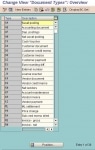
Document Types........................................................................................................................ 253
Differentiating Between Business Transactions Using the Document Type.......................... 255
Defining Authorizations for Document Types......................................................................... 257
Defining the Document Type for the Vendor Net Procedure ................................................. 258
Document Types for Postings to Affiliated Companies.......................................................... 259
Document Number Assignment............................................................................................... 260
Validity Period for the Document Number Interval................................................................. 262
Defining Number Ranges....................................................................................................... 263
Defining Number Ranges for Recurring Entry and Sample Documents................................ 265
Changing and Deleting Number Ranges ............................................................................... 266
Organizing Document Storage................................................................................................. 267
Controlling Document Storage Using the Document Type .................................................. 269
Document Entry......................................................................................................................... 271
Default Values in Document Entry ......................................................................................... 272
Editing Options - Enjoy Transactions..................................................................................... 273
Editing Options....................................................................................................................... 275
Holding and Setting Data ....................................................................................................... 276
Fast Entry of G/L Account Line Items .................................................................................... 277
Control Functions for Entering and Posting Documents........................................................ 278
Displaying Control Totals .................................................................................................. 280
Entering Totals............................................................................................................. 281
Entering Opening Balances......................................................................................... 282
Holding Documents................................................................................................................ 283
Completing Held Documents ............................................................................................ 284
Deleting Held Documents ................................................................................................. 285
Simulating Documents ........................................................................................................... 286
Parking Documents................................................................................................................ 288
Document Parking ............................................................................................................ 290
Displaying Parked Documents.......................................................................................... 292
Displaying Changes to Parked Documents................................................................. 293
Posting Parked Documents .............................................................................................. 294
Parking Documents........................................................................................................... 295
Changing Parked Documents........................................................................................... 296
Deleting Parked Documents ............................................................................................. 298
Document Release ........................................................................................................... 299
Document Release: Settings in Customizing .............................................................. 301
The Document Parking Process with Document Release: Example .......................... 303
Amount Release .......................................................................................................... 304
Account Assignment Approval..................................................................................... 305
Completing the Entries in a Document Using Workflow................................................... 306
Workflow Settings for Completing Parked Documents................................................ 307
Document Parking and Release with Workflow................................................................ 308
Displaying Documents.............................................................................................................. 310
Document Overview............................................................................................................... 312
Line Layout Variants .............................................................................................................. 313
Line Item Display.................................................................................................................... 315
Line Layout Variants for the Line Item Display ................................................................. 317
Totals Variants .................................................................................................................. 319
Fields for Selecting, Sorting, and Searching..................................................................... 321
Sort Sequence .................................................................................................................. 322
Changing Documents ............................................................................................................... 325
Defining Document Change Rules......................................................................................... 327
Changing Documents............................................................................................................. 329
Mass Changes to Line Items ................................................................................................. 330
Archiving Documents ............................................................................................................... 332
Schedule Manager (CA) ............................................................................................................ 333
Variables in Schedule Manager ............................................................................................... 334
Defining Global Variables for the Task List and Flow Definition............................................ 335
Defining Selection Variables .................................................................................................. 336
Specifying Selection Variables in the Program Variants........................................................ 337
Specifying Selection Variables for Flow Definitions With Parallel Branches ......................... 339
Individual Functions of the Schedule Manager...................................................................... 341
Using the Scheduler............................................................................................................... 342
Task List........................................................................................................................... 344
Task Types .................................................................................................................. 345
Creating a Task List..................................................................................................... 346
Inserting Tasks/Task Groups into the Task List .......................................................... 347
Inserting Your Own Programs as Tasks...................................................................... 349
Inserting Your Own Programs as Tasks................................................................. 354
Storing Task Documentation ....................................................................................... 356
Scheduling Tasks in the Daily Overview ..................................................................... 357
Scheduling a Complete Task List in the Daily Overview............................................. 358
Relative Start Time................................................................................................. 359
Runtime Analysis for Jobs ................................................................................................ 360
Controlling Whether Jobs Are Started .............................................................................. 361
Using the Monitor ................................................................................................................... 362
Monitor - Monitoring Active and Completed Jobs............................................................. 364
Monitor - Working with the Object List .............................................................................. 366
Using the Flow Definition ....................................................................................................... 369
Flow Step Types ............................................................................................................... 370
Creating a Flow Definition................................................................................................. 371
Specifying Selection Variables for Flow Definitions With Parallel Branches .................... 375
Choosing Objects for Processing ..................................................................................... 377
Defining Processing Options, Output Options and Execution Types ............................... 378
Error Handling................................................................................................................... 379
Error: A Job Stops ....................................................................................................... 380
Error: A Job Becomes.................................................................................................. 382
Error: An Executed Report Found an Error ................................................................. 384
Error: Job Scheduling Was Unsuccessful ................................................................... 386
Error: The Workflow Stops........................................................................................... 387
Error: The Workflow Becomes..................................................................................... 388
Multilevel Worklist .................................................................................................................. 389
Multilevel Worklist: Process Flow...................................................................................... 402
Monitor - Working with the Object List .............................................................................. 404
Processing Worklists......................................................................................................... 407
Choosing Objects for Processing ..................................................................................... 417
Processing Status of Objects............................................................................................ 418
Scenarios for the Schedule Manager ...................................................................................... 424
Starting Transactions/Reports Online, Scheduling/ Monitoring Jobs..................................... 425
Starting Transactions/Reports Online, Scheduling Jobs/Job Chains, Monitoring Jobs......... 426
Starting Transactions/Reports Online, Scheduling Jobs and Job Chains, Worklist .............. 427
Download attached file: You must be Loged in to download file